 kagent
Install Agent Substrate on Any Kubernetes Cluster#
Anyone adopting software or a product, whether it's paid, free, or OSS, wants one question answered:
"Is it vendor-agnostic?"
That's why everything about a platform, from where you can install it to what you can connect it to, needs to be as universal as possible. In AI this matters even more, because the systems, data, and workflows you design should never be tied to a single LLM provider or cloud platform.
In this blog post, you'll learn how to install and configure Agent Substrate on any cluster.
Prerequisites#
To follow along with this blog post in a hands-on fashion, you need a Kubernetes cluster running v1.37 or above. It can be any cluster, from a Kind or Minikube cluster to an AKS, EKS, or GKE cluster. Version 1.37 is the minimum because Agent Substrate uses the PodCertificate API to issue certs to Substrate Workers.
Why Is a Universal Installer Needed?#
Portability is one of the first things teams weigh when they adopt a platform. They want to know whether it runs outside a single cloud, whether their data can leave, and whether a workload can move from one environment to another.
A tool that only runs in one cloud locks you in the moment your needs change, whether the trigger is billing, a better deal, or more experience with another provider. A universal installer removes that risk. Teams reuse the same setup everywhere instead of building a one-off "snowflake" for each environment.
What Does the Installer Entail?#
When you run the Agent Substrate installer, you get everything that comes with a standard Agent Substrate installation, whether you install on GKE, Kind, or any other cluster.

The installer completes the following steps:
- Checks that the cluster has what it needs to run as expected (for example, the PodCertificate API).
- Installs all of the necessary components, including the CRDs, the cert controller, Postgres, and all of the Substrate components.
- Verifies that everything installed successfully and is working as expected.
The key difference is that it doesn't make assumptions about where it's running. The standard Agent Substrate install expects you to set the PROJECT_ID environment variable. A project ID only exists in Google Cloud, so if you install on something like AKS or EKS, the "hacky" workaround is to set the variable to a placeholder value, because if you don't, the installation fails. The universal installer drops that requirement, so you don't need a placeholder or any other cloud-specific setting.
How to Use the Installer#
The universal installer lives in the kagent Agent Substrate fork.
-
Download the
kubectl-atebinary, which is how you interact with Agent Substrate on the CLI. This example pulls the macOS (Apple silicon) build; pick the pattern that matches your OS and architecture.gh release download v1.0.1 \--repo kagent-dev/substrate \--pattern 'kubectl-ate-darwin-arm64*' -
Put the binary on your
PATHso you can use it against your Kubernetes cluster.mkdir -p "$HOME/.local/bin"install -m 0755 kubectl-ate-darwin-arm64 "$HOME/.local/bin/kubectl-ate"export PATH="$HOME/.local/bin:$PATH" -
Set an environment variable with the context name of the cluster you're installing Agent Substrate on.
export CTX="your-cluster" -
Run the install.
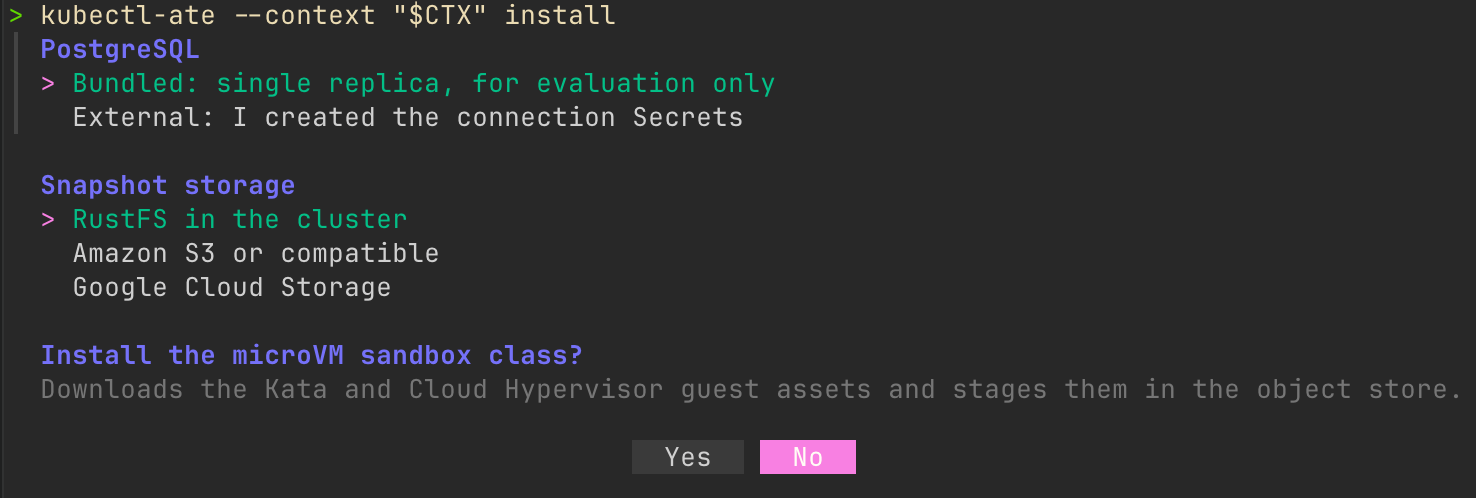
kubectl-ate --context "$CTX" installThe installer asks you a few things:
- Which Postgres to use: a bundled single replica for evaluation, or an external database you've already created the connection Secrets for.
- Where to store snapshots: RustFS in the cluster, Amazon S3 (or a compatible store), or Google Cloud Storage.
- Whether you want hardware-level isolation with the microVM sandbox class. If you choose No, it defaults to gVisor (software-level isolation).
-
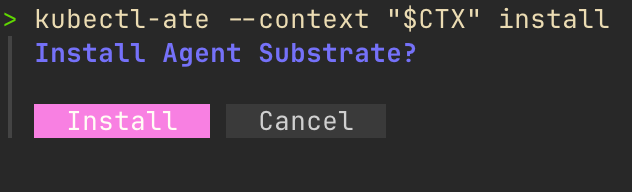
Confirm the install.
-
Once the installation completes, verify that all of the Agent Substrate resources are running in your Kubernetes environment.
kubectl get pods -n ate-system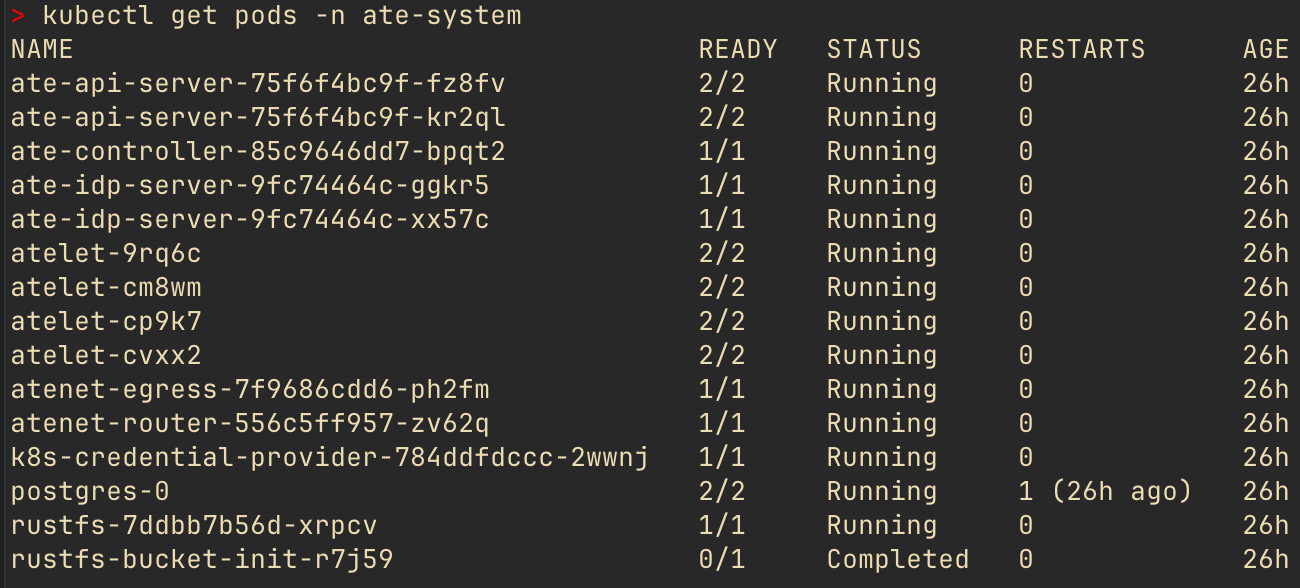
Wrapping Up#
When we install and configure agentic infrastructure, we want it to run everywhere: on-prem, in the cloud, on managed Kubernetes services like AKS and EKS, and everything in between. Without an installer that works anywhere, each team across an organization ends up with its own way of running the same system instead of one universal approach.